
Background
Petspace is a tablet app my team created for the College + Nickelodeon Creative Jam LIVE with Adobe XD to help kids stay connected and entertained at home during the 2020 pandemic. The app features mindfulness activities like coloring pages, exercising, doodling, meditating, talking to friends, and caring for a virtual pet. We strategically divided tasks, ensuring cohesive design. I created high-fidelity mockups for the coloring page, pet shop, and pet home screens and worked on the user flow through the app screens.
Roles/Responsibilities
UX Designer, Visual Designer
Tools Used
Adobe XD
Final App Home Screen

Design Problem
Help kids feel safe, informed, and connected in the spirit of #KidsTogether. Design an Android tablet or Apple iPad app that provides a safe way for kids to communicate, share, and connect with their friends and family. Develop this app experience for kids between 11 to 13 years old (grades 6 to 8). It may include gaming, mobile messaging, gallery, educational content, or any combination of functions. The app experience must use some element of the Nickelodeon brand and incorporate either auto-animate or voice command features.
Roles and Responsibilities
This project was done by a team of three beginner designers. Since we had only 72 hours to create as much as we could for this app, we decided it would be best to split up the screens while still collaboratively working through the big picture of the app.
I worked on:
- Creating a high fidelity mockup for the:
- Coloring page
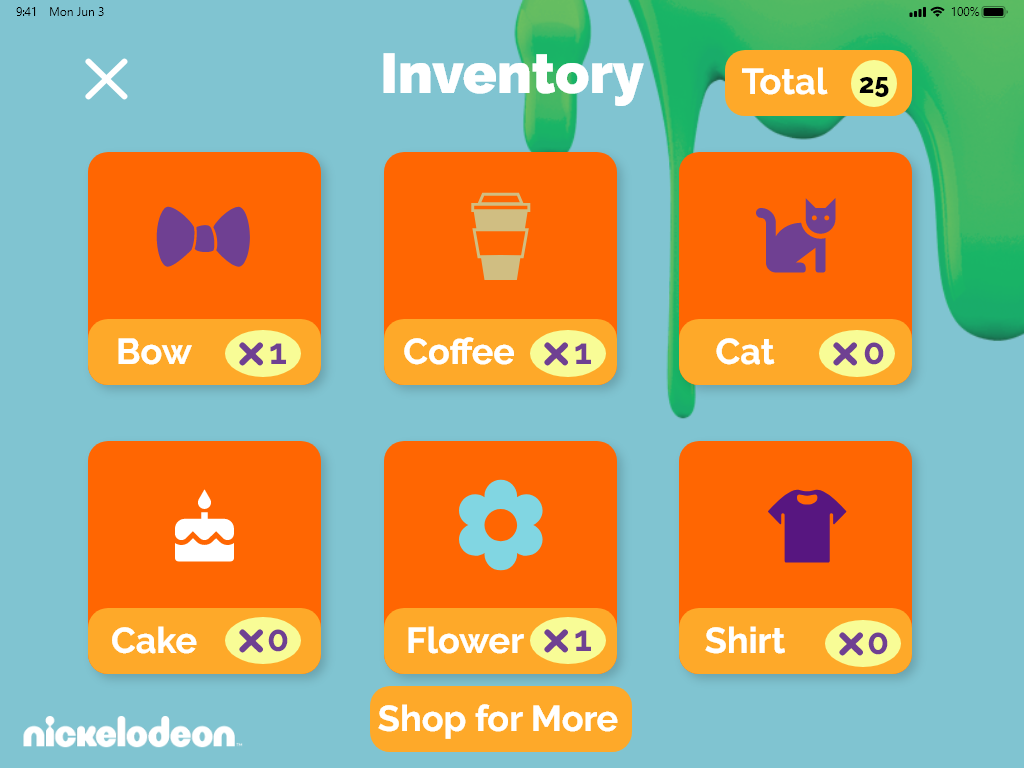
- Pet store
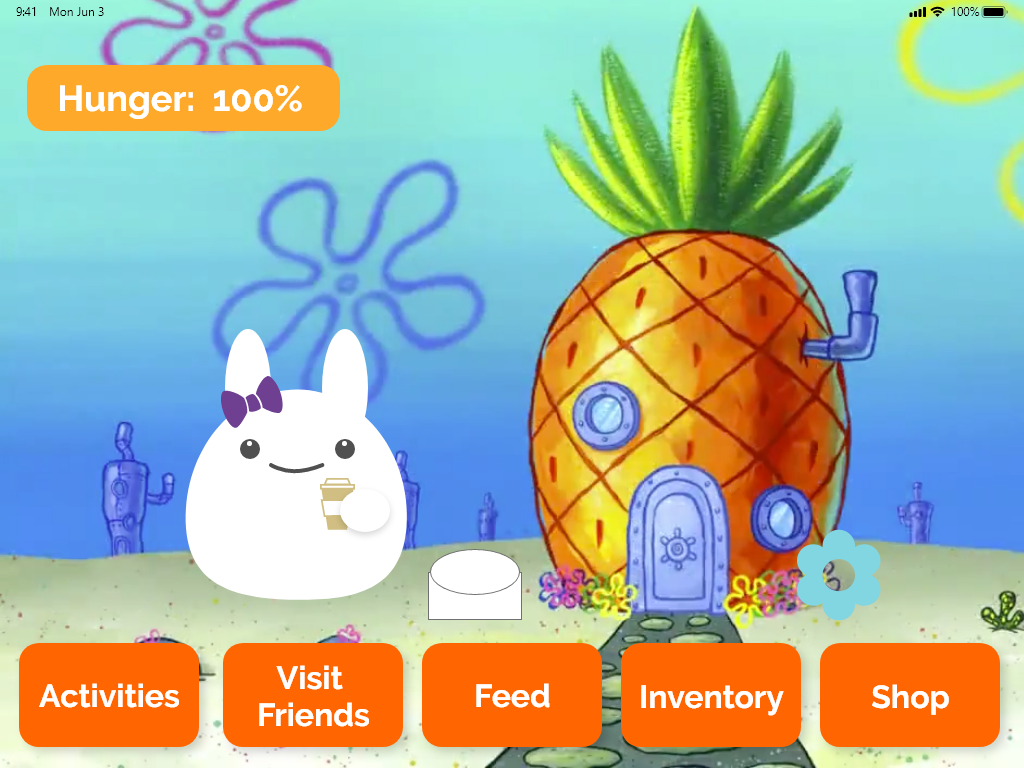
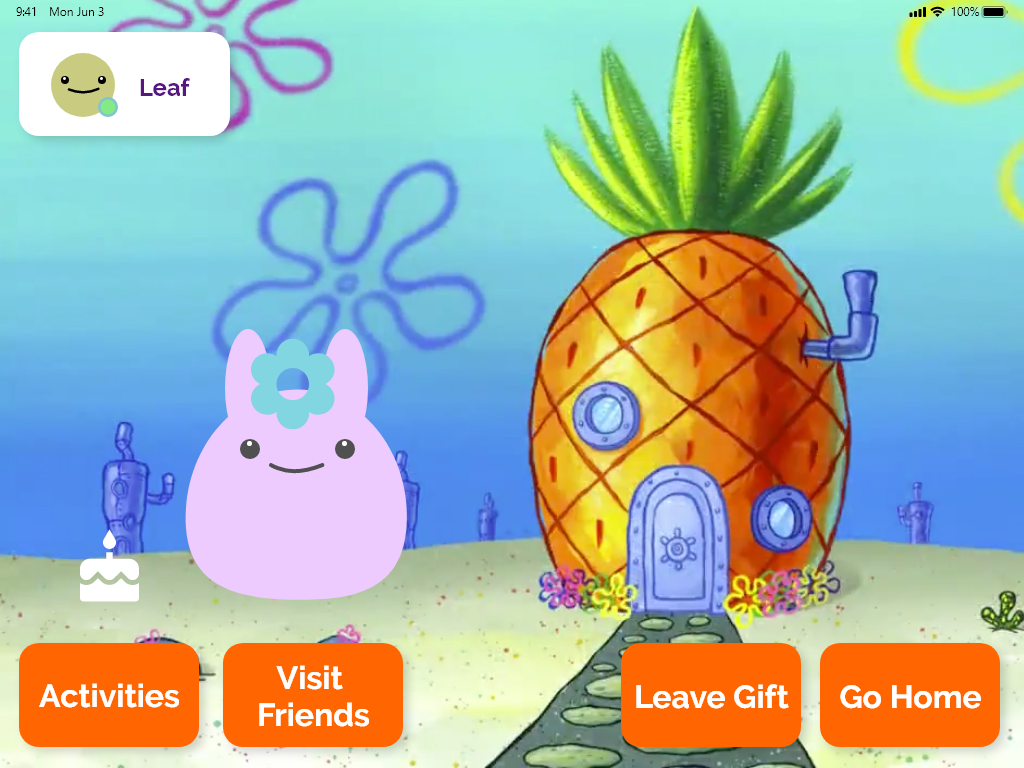
- Pet home screens
- Created the user flow between all 23 screens we designed.
Below you will see a slideshow of the screens I designed. Some elements such as the actual pet that I incorporated into the page was created by my other team member.


Scopes & Constraints
Our team only had 72 hours to complete this challenge. Another factor was we each were in a different timezone (EST, CST, PST). Having a short amount of time forced us to come to a consensus quickly with our design decisions.
Brainstorming
- Social Pet Game: Take care of a virtual pet.
- Social Drawing Game: Share iPad drawings with friends to grow the pet.
- Kid-Friendly Dance Challenges: Send challenges to friends/family with enhanced parental controls.
- VR Hide and Seek: Use the iPad camera for a Pokémon Go-style game around the house with trivia related to staying active and healthy.
- Handwashing Song: Include a 20-second theme song for washing hands.
- Link to Other Nick Apps: Download other Nickelodeon games.
- Build a Nick World: Play as a Nickelodeon character.
- Stress Management Activities:
- Coloring
- Meditation with characters
- Grow and evolve the pet with meditation exercises
- Mindful Activities:
- Raise a pet with a friend by doing mindful activities.
- Teach the pet new tricks through these activities.
- Earn points to buy items for the pet.
- Anti-Cheating Measures:
- Wait 10-15 minutes before earning points.
- Parent verification.
- User Journey:
- Open the app → “How are you feeling?” → Suggest activities.
- Pet encourages the kid.
Possible App Names
- Wellness with Friends
- Raising Wellness
- Petspace: Virtual Pets and Wellness
- Mindfulness with pets
Ideas Implemented
- Messaging platform similar to iMessage
- Social pet game – Have your own pet to take care of
- Open app → “How are you feeling?” → Suggest activities
- Mindful points → buy stuff for pet
- Meditation with characters
- Guided exercises
- Drawing
- Coloring
These ideas were the ones we had the time to implement. Due to time constraints, ideas such as being able to share drawings, VR Hide and Seek, and dance challenges were not implemented. If this project were continued, we would take a second look at these ideas and select which ones we feel would help the user experience based on feedback after the competition.
Decision Reasoning
When we considered the problem of kids being stuck at home during the pandemic, we focused on ensuring they had fun, stayed safe, and maintained their mental health.
Virtual Pet: Seeing people wish for pets during the pandemic inspired us to create a virtual pet for kids to care for.
Mindfulness Activities: We developed games that are suggested based on the user’s feelings or can be chosen freely. These activities allow kids to earn points to buy items for their virtual pet.
Sketches
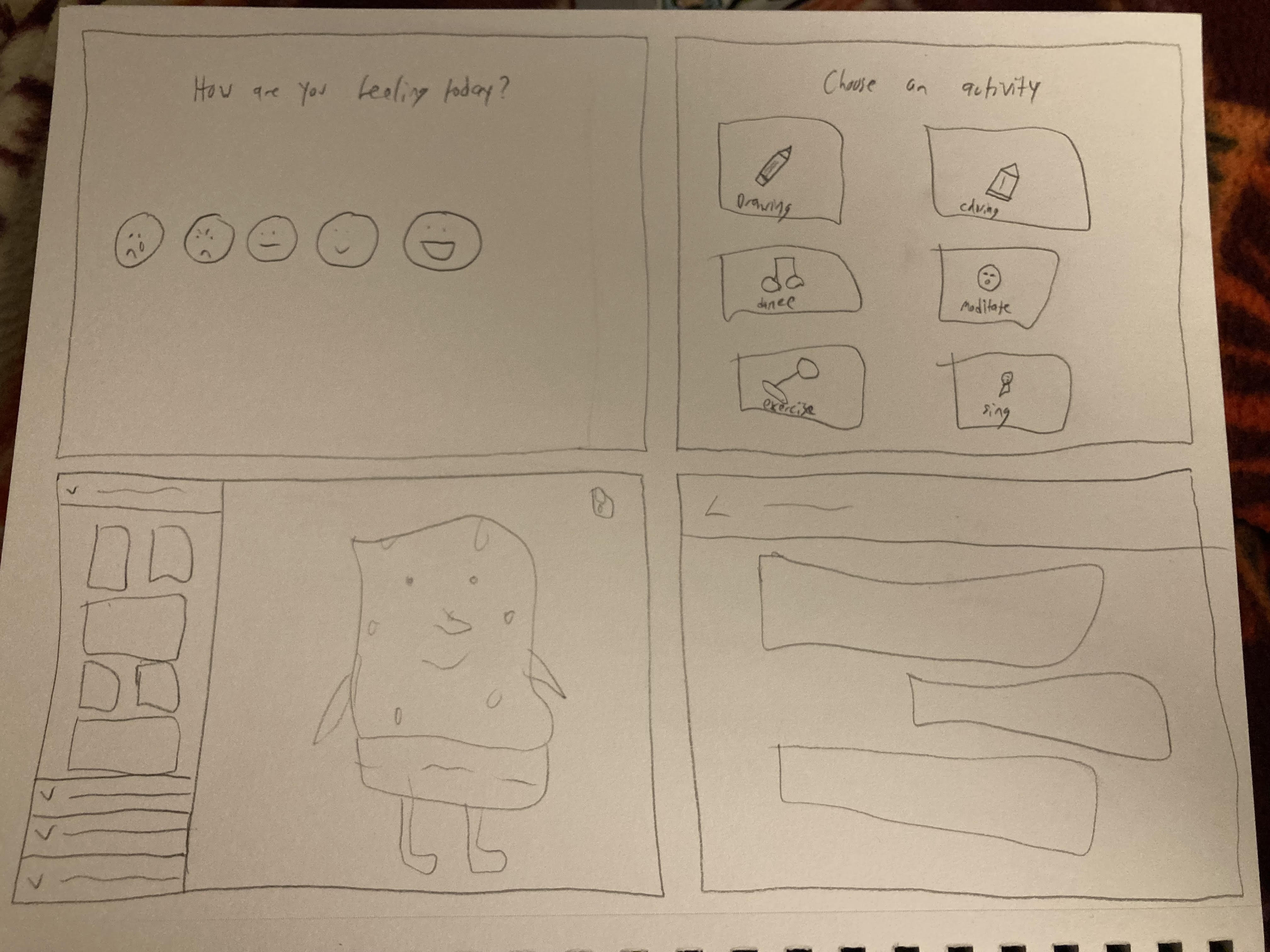
Visual Design
- Keeping Nickelodeon brand in mind.
- Used light blues, purples, oranges.
- Big visible buttons.
- Simple screens.
- Using Nickelodeon characters and scenes (Scenes are backgrounds you can chose for your pets home and characters would be used to run through mindfulness activities).

Prototyping
Things that were important to think about when I was prototyping:
- Important to link the pages to where each button would lead (user expectations).
- For example, making sure that the inventory button would lead to the child’s inventory of items.
- Smooth motions implemented such as scrolling on the message screen.
- A pop out menu when you are at your friends pet home to message them directly when you visit their home.
Below you will find the screens all connected together and a button below with a prototype you can click through to see our final submission.

What I Learned
- Our app ended up turning out for children younger than 11-13 mainly because we found that this current generation of children were born into an technology age already having apps like Instagram and TikTok.
- If we had access to User testing, we could have learned whether children aged 11-13 would like/use our app.
- After seeing other submissions we definitely could have implemented other features such as video sharing that have been made popular with apps like Tiktok.
- We shouldn’t have assumed that kids in this generation would find the same things entertaining that we did when we were 11-13 years old.
- Having a short amount of time really forces you to focus on features that are important to the goal of the app rather than future implementations.
- Once a decision was made there was no turning back.
- Our team worked really well together despite the circumstances and utilized resources such as Zoom, Facebook Messenger, and Google docs to collaborate.
Next Steps
- User testing with our demographic of children aged 11-13.
- Adding a video sharing feature of a dance challenge that was initially in our brainstorming session.
- Continue iterating with the visual design and prototyping.
- Add more characters from newer Nickelodeon shows.
- Design the interface for the meditation and exercise screens.
- Continue thinking through how we can create a dynamic for a slightly older age group while still keeping the idea of owning a pet.
 jenpatt-designs.com